

Alexa, Are You Spying On Me?
Introduction
You walk through your front door after a long day. The lights dim to your usual evening setting. The thermostat warms the room. Your smart speaker greets you with a cheerful tone and asks if you’d like to resume your favorite playlist.
It feels like magic. Until it doesn’t.
Earlier in the day, you whispered in the car about planning a surprise birthday party. Now your speaker asks, “Would you like to add balloons and streamers to your shopping list?”
You freeze.
How did it know?
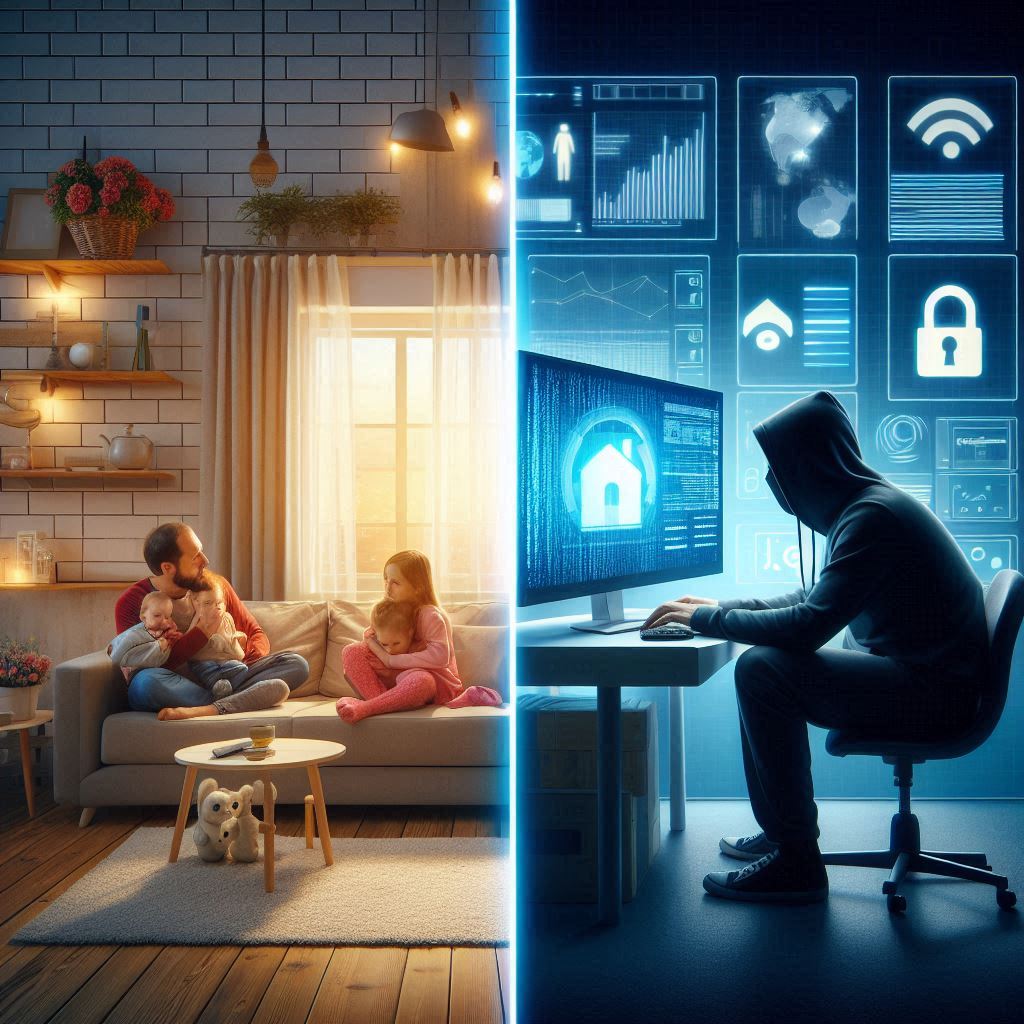
That’s when the realization hits. Your smart home is not just listening. It’s watching, tracking, and possibly sharing what it learns.
The Hidden Dangers of Smart Devices
Smart homes promise ease, comfort, and safety. But behind the sleek design and voice commands is something far more complex: a system that thrives on your personal data.
Here’s how your smart home could be spying on you.
Read More: Breaking Down the Battle: Huawei vs Nvidia Chips in the Race for AI Supremacy
How Smart Devices Spy on You
1. Always Listening
Voice assistants like Alexa, Siri, or Google Assistant are always on. They wait for a “wake word,” but they often record extra snippets. These audio clips go to cloud servers to “improve services,” but they can be stored longer than you expect. Some companies even use them to train AI or sell to advertisers.
2. Camera Footage
Smart doorbells and home cameras often record automatically. Some devices send footage to the cloud, making it vulnerable to hackers. There have been cases where strangers accessed live home feeds and even spoke through smart cameras.
3. Behavior Tracking
Smart lights, thermostats, and fridges track how often you use them. This creates a data profile—when you’re home, when you sleep, what you eat. That data can be shared or sold. Even anonymous data can often be reconnected to you.
4. Third-Party Sharing
Many smart device companies share your data with advertisers or partners. They claim it’s “aggregated” or “anonymized,” but these protections are not always strong. With enough cross-referencing, someone can figure out exactly who you are.
How to Protect Your Privacy
You don’t have to throw away your smart devices. But you do need to take control. Here’s how to push back against spying.
1. Secure Your Home Network
Use strong passwords for your Wi-Fi. Set up a guest network just for smart devices. Turn on encryption like WPA3, and always keep your router’s firmware updated.
2. Check Device Settings
Go through the privacy settings in every smart device app. Turn off features you don’t use especially ones like remote access, auto-upload, or voice recording. Delete stored recordings regularly.
3. Update Everything
Software updates often include important security patches. Set your devices to update automatically, or check for updates regularly. Old software can open the door to hackers.
4. Use Local Storage
Buy devices that store data locally instead of sending it to the cloud. Some doorbell cameras and smart hubs offer this option. It limits what outside companies can access.
5. Limit Integrations
Each time you link a smart device with another app or platform, you add risk. Only connect the tools you really need. The more connections you have, the more paths exist to steal your data.
6. Choose Privacy-Focused Brands
Some companies build their devices with privacy in mind. Others are open-source, letting you control exactly how data is used. These may take more time to set up, but they offer real peace of mind.
Read More: How Europe Invented the Future— Then Forgot to Build It
Frequently Asked Questions
Q: Which smart devices are the riskiest?
A: Devices with microphones or cameras, like smart speakers and video doorbells, pose the highest risks. Anything that connects to the internet and collects data can be a threat.
Q: Can I ask companies to delete my data?
A: Yes, many companies allow data deletion requests. But compliance varies, and your data may still exist in backups or analytics tools.
Q: How do I know if I’ve been hacked?
A: Watch for strange behavior. Cameras turning on by themselves, unknown voices from speakers, or devices activating without input are red flags. Also check app logs and network activity.
Q: Should I get rid of smart devices altogether?
A: Not necessarily. You can reduce your risk by adjusting settings, limiting integrations, and choosing privacy-focused options. If you’re still concerned, try removing devices one by one.
Q: Does a VPN help protect smart homes?
A: VPNs help protect internet traffic from your router but do not stop devices from sending data to their manufacturers. Focus on network security and limiting data collection at the device level.
Conclusion
Smart homes can make life easier. But they can also turn your private space into a data goldmine. The more we invite technology into our homes, the more important it is to ask… what are we giving up in return?
You don’t have to live in fear, but you should stay informed. Learn what your devices do, limit what they can access, and stay in control of your data. After all, your home should be your safest space not a window into your life for marketers, strangers, or corporations.



Pingback: How to Become a Successful Digital Marketer in Nigeria - Newline Tech
Pingback: The Future is Wearable: Tech That Lives on Your Skin - Newline Tech