
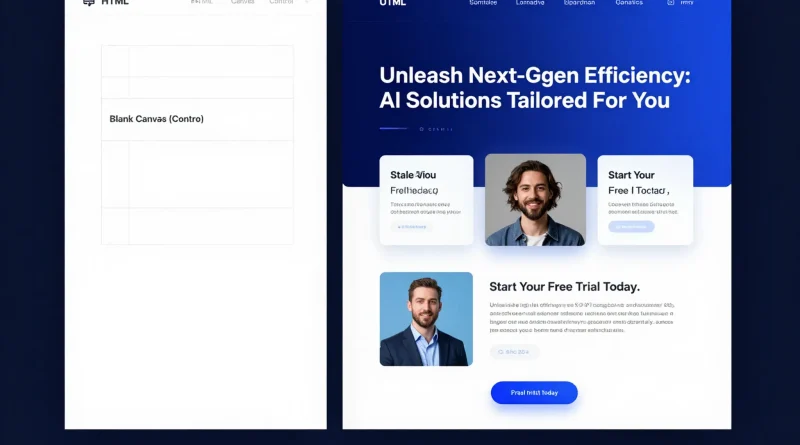
How to Generate Website Copy and Landing Pages Using Copy.ai
Introduction
Writing website copy can feel overwhelming. Headlines must grab attention. Subheadings must clarify value. Calls-to-action must convert. And every sentence needs to align with your brand voice.
For startups, solopreneurs, and marketing teams, this process often takes days, sometimes weeks.
But AI writing tools are changing that workflow entirely. With platforms like Copy.ai, businesses can generate high-converting website copy and landing pages in minutes instead of hours.
Here’s how to use Copy.ai effectively to create compelling, conversion-ready content.
What Is Copy.ai?
Copy.ai is an AI-powered writing assistant designed to generate marketing copy, website content, product descriptions, email campaigns, and more.
It uses natural language processing to create human-like text based on prompts and structured inputs.
Why Use AI for Website Copy?
Traditional copywriting requires:
- Market research
- Headline testing
- Brand positioning
- Multiple revisions
AI tools help accelerate this by:
- Generating draft variations instantly
- Overcoming writer’s block
- Providing structured templates
- Creating conversion-focused content
While AI doesn’t replace strategic thinking, it dramatically reduces production time.
Step-by-Step: Generate Website Copy Using Copy.ai
Step 1: Define Your Brand and Offer
Before generating copy, clarify:
- Your product or service
- Target audience
- Unique selling proposition
- Desired tone (professional, friendly, bold, etc.)
Clear inputs produce better AI outputs.
Step 2: Choose a Template
Copy.ai provides templates such as:
- Landing page hero section
- Product descriptions
- Value propositions
- Feature-benefit breakdowns
- Call-to-action prompts
Select the landing page template to structure your content.
Step 3: Input Key Information
Enter:
- Business name
- Core product/service
- Target customer
- Key benefits
- Pain points solved
Example input:
“Project management software for remote startups that simplifies collaboration and task tracking.”
Step 4: Generate Multiple Variations
Copy.ai produces multiple headline and paragraph options.
Best practice:
- Generate 3–5 versions
- Combine strong elements
- Adjust tone if needed
- Refine for clarity and accuracy
AI provides drafts; your role is to refine and personalize.
Step 5: Structure Your Landing Page
A strong landing page includes:
- Compelling headline
- Clear subheadline
- Problem statement
- Benefits section
- Social proof
- Call-to-action
You can generate each section individually using Copy.ai templates.
Read More: How to Create Online Courses Faster Using Synthesia AI Avatars
Table: Manual Copywriting vs Copy.ai Workflow
| Task | Traditional Method | Copy.ai Method | Advantage |
|---|---|---|---|
| Headline Brainstorming | Hours of ideation | Instant variations | Faster creativity |
| First Draft | Written from scratch | AI-generated draft | Time-saving |
| Tone Adjustments | Rewrite manually | Regenerate with tone input | Flexible |
| Product Descriptions | Manual formatting | Template-based generation | Structured output |
| Scaling Pages | Slow process | Rapid multi-page generation | Scalable marketing |
Tips for Better AI-Generated Website Copy
To improve results:
- Be specific in prompts
- Include your audience’s pain points
- Mention measurable outcomes
- Edit for authenticity
- Add real testimonials
AI creates structure; your insight adds credibility.

Read More: How to Create YouTube Thumbnails Automatically Using Canva AI
Example Landing Page Flow Using Copy.ai
- Hero Headline: Clear value proposition
- Subheadline: Explain who it’s for
- Features Section: Bullet-point benefits
- Problem-Solution Block
- Testimonials
- Strong Call-to-Action
By generating each block separately, you maintain quality and clarity.
Common Mistakes to Avoid
- Copy-pasting AI text without editing
- Using vague prompts
- Ignoring brand voice
- Overloading with buzzwords
- Skipping fact-checking
Always refine AI-generated copy before publishing.
Read More: How to Build a Customer Support Chatbot Using ChatGPT and Zapier Automation
Frequently Asked Questions
Is Copy.ai suitable for beginners?
Yes. It’s designed to be user-friendly with guided templates.
Can Copy.ai write full landing pages?
Yes, it can generate a structured landing page content section by section.
Does AI-generated copy rank on Google?
Yes, if optimized properly with keywords, structure, and human refinement.
Should I edit AI-generated text?
Absolutely. Editing ensures clarity, accuracy, and brand alignment.
Conclusion
Copy.ai empowers businesses to create website copy and landing pages faster than ever before. By combining structured templates with AI-generated drafts, marketers can scale content production without sacrificing quality.
The key is not to rely solely on automation but to use AI as a productivity tool that enhances creativity and speeds up execution.
In today’s fast-paced digital landscape, the ability to produce high-quality copy quickly can provide a powerful competitive edge.



Pingback: How to Summarize Research Papers and PDFs Using Notion AI - Latest AI/Tech Info