
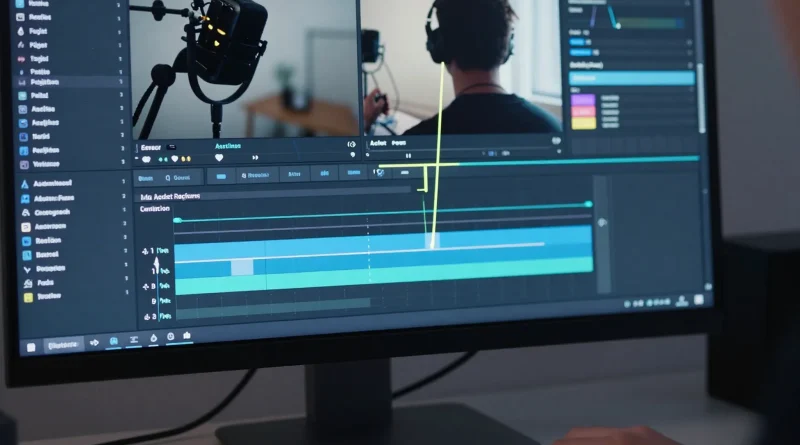
Adobe Adds Firefly AI to Photoshop and Premiere Pro for Creative Automation
Introduction
For years, creative professionals spent hours masking backgrounds, extending images, color grading footage, and removing unwanted objects frame by frame. Creativity was limitless but time was not.
Now, Adobe is redefining creative workflows by embedding generative AI directly into its flagship tools. With Firefly AI integrated into Photoshop and Premiere Pro, creators can automate complex edits in seconds.
This marks a major shift in how designers, video editors, and marketers produce content at scale.
What Is Adobe Firefly?
Adobe Firefly is Adobe’s generative AI system designed for commercial-safe creative production. It enables users to generate images, edit photos, extend scenes, and automate video enhancements using text prompts.
Unlike standalone AI tools, Firefly is deeply integrated into professional software.
Firefly Integration in Photoshop
Adobe Photoshop now includes powerful AI-driven tools such as:
- Generative Fill
- Generative Expand
- Background replacement
- Object removal
- Text-to-image creation
Designers can type a prompt like “add a sunset sky” or “replace background with a modern office” and see instant, editable results.
This dramatically reduces time spent on manual editing and compositing.
Firefly Integration in Premiere Pro
Adobe Premiere Pro also benefits from Firefly-powered automation.
New AI capabilities include:
- Automatic scene extension
- Background noise removal
- Object removal in video
- AI-assisted color correction
- Text-based video editing
Editors can modify footage using natural language commands instead of manual frame-by-frame adjustments.
Read More: IBM Expands Watsonx Platform to Help Enterprises Build Custom AI Models
How Creative Automation Changes Workflows
Firefly integration allows creators to:
- Prototype faster
- Reduce repetitive tasks
- Focus on storytelling instead of technical edits
- Deliver projects quicker
- Experiment with multiple design variations
Agencies and marketing teams can now produce campaign visuals at scale without dramatically increasing budgets.
Table: Traditional Editing vs Firefly AI Workflow
| Task | Traditional Workflow | Firefly AI Workflow | Time Saved |
|---|---|---|---|
| Background Removal | Manual masking | One-click generative fill | Significant |
| Image Expansion | Recreate the canvas manually | Generative expand | High |
| Object Removal (Video) | Frame-by-frame editing | AI object removal | Major |
| Audio Cleanup | External tools required | AI noise reduction | Moderate |
| Creative Variations | Duplicate & redesign | Prompt-based generation | High |
Read More: NVIDIA Launches New AI Chips to Power Next-Generation Data Centers
Benefits for Businesses and Creators
Firefly integration helps:
- Graphic designers accelerate client projects
- Video editors meet tighter deadlines
- Social media teams produce daily content faster
- E-commerce brands generate product visuals instantly
- Marketing teams test creative variations quickly
Because Firefly is built into Adobe’s ecosystem, creators do not need to switch between multiple tools.
Responsible and Commercial AI
Adobe emphasizes that Firefly is trained on licensed and public-domain content, aiming to make it safer for commercial use compared to some generative AI platforms.
For enterprises and agencies concerned about copyright risks, this positioning is important.
Competitive Landscape
With Firefly embedded in Adobe tools, the company competes directly with standalone AI image and video generators.
However, Adobe’s advantage lies in workflow integration. Instead of exporting and importing assets between platforms, creators can generate and edit within the same interface.
Read More: Meta Rolls Out AI Image Editing Tools Across Instagram and Facebook
Frequently Asked Questions
What is Adobe Firefly used for?
Firefly is used for generating and editing images and videos using AI-powered prompts inside Adobe tools.
Is Firefly available inside Photoshop?
Yes, Photoshop includes generative fill and expand features powered by Firefly.
Can Premiere Pro remove objects using AI?
Yes, Firefly enables AI-assisted object removal and other automation tools in Premiere Pro.
Is Firefly safe for commercial projects?
Adobe positions Firefly as commercially safe, trained on licensed and public-domain data.
Conclusion
Adobe’s integration of Firefly AI into Photoshop and Premiere Pro represents a major step toward creative automation. By turning complex editing tasks into simple prompts, Adobe empowers creators to work faster without sacrificing quality.
As AI becomes embedded directly into professional creative software, the future of design and video editing will be less about manual execution and more about imagination and strategy.



Pingback: Tesla Integrates Advanced AI Vision Systems to Improve Full Self-Driving Software - Latest AI/Tech Info
Pingback: OpenAI Launches ChatGPT Atlas AI Browser That Can Browse and Complete Tasks for Users - Latest AI/Tech Info
I get pleasure from, cause I found exactly what
I used to be having a look for. You’ve ended my 4
dayy lengthy hunt! God Bless yoou man. Have a great day. Bye
Also visit my site :: buy viagra online