
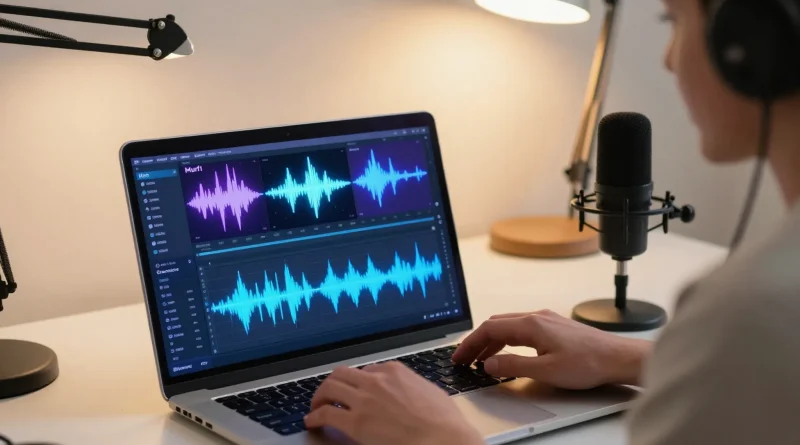
Step-by-Step Guide to Creating Studio-Quality YouTube Voiceovers Using Murf AI
Introduction
Imagine watching a YouTube video with stunning visuals but poor audio quality. Chances are, you would click away within seconds. Audio plays a huge role in keeping viewers engaged, yet many creators struggle to produce clear, professional voiceovers.
In the past, achieving studio-quality audio required expensive microphones, soundproof rooms, and skilled voice actors. Today, that barrier is gone. With tools like Murf AI, anyone can create high-quality voiceovers from simple text.
This innovation is helping YouTubers produce better content faster, without the need for complex setups.
What Is Murf AI
Murf AI is an advanced AI voice generator that converts written text into natural-sounding speech. It offers a wide range of voices, accents, and tones to suit different types of content.
The platform is designed for creators, marketers, and educators who need professional audio without traditional recording challenges.
By using AI, Murf AI simplifies voiceover production while maintaining high-quality output suitable for YouTube videos.
Key Features of Murf AI
Murf AI comes with powerful features that make voiceover creation easy.
It offers realistic voices that sound close to human narration.
Users can customize voice tone, speed, and pitch to match their content style.
The platform includes built-in editing tools for refining audio.
It also allows synchronization with video, making it easier to align narration with visuals.
Additionally, it supports multiple languages, helping creators reach global audiences.
Read More: How to Produce Realistic Product Ad Videos Using Runway ML AI
Step-by-Step Guide to Creating Voiceovers
Creating a voiceover using Murf AI is simple when you follow these steps.
Start by writing your script. Keep it clear, engaging, and easy to understand.
Next, upload or paste your script into Murf AI.
Choose a voice that fits your video style. Consider tone, accent, and pacing.
Generate the voiceover and listen to the preview.
Adjust settings like speed and pitch to improve the natural flow.
Add background music if needed to enhance the audio experience.
Finally, export the audio and add it to your video editing software.
Table: Murf AI vs Traditional Voice Recording
| Method | Key Difference |
|---|---|
| Murf AI | Fast, affordable, no recording equipment needed |
| Traditional Recording | Requires studio setup and voice talent |
| Murf AI | Easy editing and customization |
| Traditional Recording | Time-consuming revisions |
Read More: How to Create a Fully Functional Website Using Wix AI Website Builder
Best Practices for High Quality Voiceovers
To get the best results, focus on clarity. Write scripts that are simple and easy to follow.
Choose a voice that matches your content tone. A calm voice works for tutorials, while energetic tones suit promotional videos.
Avoid long sentences. Short sentences improve readability and listener engagement.
Always preview your voiceover before exporting. Small adjustments can make a big difference.
These practices help ensure your audio sounds professional and engaging.
Real World Use Cases
YouTube creators use Murf AI for tutorials, reviews, and storytelling videos.
Businesses create promotional content and advertisements with professional narration.
Educators produce online lessons with clear and engaging audio.
Freelancers use it to deliver voiceover services without recording equipment.
These use cases show how versatile AI voice tools have become.
Future of AI Voice Technology
AI voice generation is improving rapidly. Tools like Murf AI are becoming more natural and expressive.
Future developments may include emotional voice tones, real-time voice generation, and deeper personalization.
As AI evolves, creators will have even more control over how their content sounds, making professional audio accessible to everyone.
Read More: How to Create a Professional Startup Logo Using Midjourney AI
Frequently Asked Questions
Can Murf AI create realistic voice-overs?
Yes, Murf AI produces high-quality, natural-sounding voice-overs suitable for YouTube videos.
Do I need recording equipment?
No, Murf AI eliminates the need for microphones or studio setups.
Can I edit the voiceover after generating it?
Yes, the platform allows you to adjust tone, speed, and other elements easily.
Is Murf AI suitable for beginners?
Yes, it is user-friendly and designed for both beginners and professionals.
Conclusion
Creating studio-quality voiceovers no longer requires expensive tools or technical expertise. With Murf AI, anyone can produce clear, professional audio for YouTube videos.
This technology is empowering creators to focus on storytelling while maintaining high production quality. As AI continues to evolve, voiceover creation will become even more efficient and accessible.
If you want to improve your YouTube content, AI voice tools are a powerful place to start.



Pingback: How to Transform Written Notes Into Stunning Presentations Using Tome AI - Latest AI/Tech Info
Pingback: How to Create a Powerful Business Website Chatbot Using Botpress AI - Latest AI/Tech Info
Pingback: How to Automatically Edit Podcasts and Remove Silence Using Descript AI - Latest AI/Tech Info