
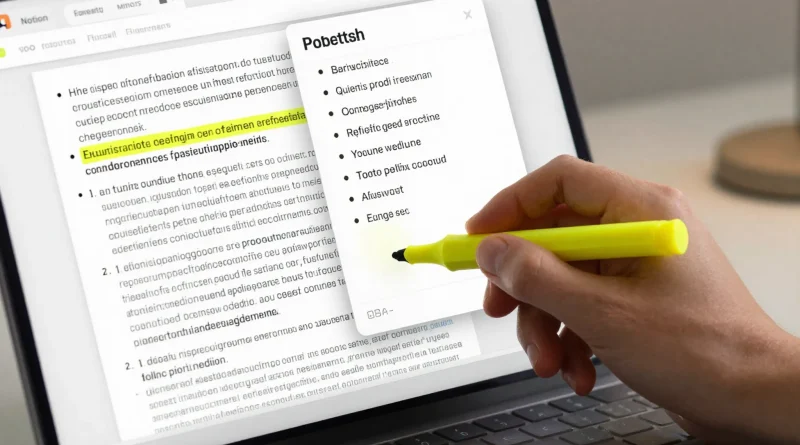
How to Summarize Research Papers and PDFs Using Notion AI
Introduction
You download a 40-page research paper. You promise yourself you’ll read it carefully. Two days later, it’s still sitting in your downloads folder.
Students, researchers, marketers, and founders face the same problem: too much information and too little time.
That’s where AI-powered productivity tools step in. With Notion AI built directly into your workspace, you can summarize research papers and PDFs in minutes instead of hours.
Here’s a practical, step-by-step guide to using Notion AI to turn long documents into clear, actionable summaries.
What Is Notion AI?
Notion AI is an artificial intelligence assistant integrated into Notion. It helps users:
- Summarize content
- Generate text
- Rewrite paragraphs
- Extract key points
- Translate information
- Create structured outlines
Because it works inside your workspace, you don’t need to switch between tools.
Why Use AI to Summarize Research Papers?
Research documents often include:
- Dense academic language
- Long methodology sections
- Technical terminology
- Extended literature reviews
AI summarization helps you:
- Identify main arguments quickly
- Extract findings and conclusions
- Turn complex ideas into simpler explanations
- Save hours of manual reading
However, AI summaries should always be reviewed for accuracy.
Read More: How to Generate Website Copy and Landing Pages Using Copy.ai
Step-by-Step: Summarize a Research Paper Using Notion AI
Step 1: Upload or Paste the PDF Content
Import your PDF into Notion or copy and paste the text into a Notion page.
Tip: Break large documents into sections (Abstract, Introduction, Methods, Results, Conclusion) for better summaries.
Step 2: Highlight the Text
Select the section you want summarized. You can summarize the entire paper or individual sections.
Step 3: Use the “Summarize” Command
Click the AI option and choose “Summarize,” or type a custom prompt like:
- “Summarize this in 5 bullet points.”
- “Explain this research in simple terms.”
- “Extract the key findings and limitations.”
Notion AI will generate a concise version instantly.
Step 4: Refine the Output
You can ask follow-up prompts such as:
- “Make this more concise.”
- “Turn this into study notes.”
- “Convert this into a LinkedIn post.”
- “Highlight only statistical findings.”
This makes the summary more targeted to your needs.
Table: Manual Reading vs Notion AI Summarization
| Task | Traditional Method | Notion AI Method | Benefit |
|---|---|---|---|
| Reading 30+ pages | 1-2 hours | Minutes | Major time savings |
| Extracting key findings | Manual note-taking | Auto bullet summary | Faster clarity |
| Simplifying language | Rewrite manually | Prompt-based simplification | Easier understanding |
| Creating study notes | Separate document | AI-generated outline | Streamlined workflow |
| Repurposing content | Manual editing | Ask AI for format conversion | Efficient content reuse |

Read More: How to Create Online Courses Faster Using Synthesia AI Avatars
Advanced Prompts for Better Summaries
To improve accuracy and usefulness, try specific prompts:
- “Summarize this paper for a high school audience.”
- “Extract methodology weaknesses.”
- “List all quantitative results.”
- “Summarize this as if preparing for an exam.”
- “Turn this into a 200-word executive brief.”
The more specific the instruction, the better the output.
Use Cases for Students and Professionals
Notion AI summarization is useful for:
Students
- Study notes
- Exam revision summaries
- Literature review overviews
Researchers
- Quick paper screening
- Comparing multiple studies
- Extracting citations and insights
Business Professionals
- Industry reports
- Whitepaper summaries
- Competitive analysis documents
Content Creators
- Turning research into blog posts
- Extracting data points for articles
- Creating social media summaries
Best Practices for Accuracy
AI summarization is powerful, but keep these tips in mind:
- Always cross-check key statistics
- Review technical definitions
- Avoid relying solely on AI for academic submissions
- Read the full paper if it’s critical to your work
AI helps with efficiency, not the replacement of critical thinking.
Read More: How to Create YouTube Thumbnails Automatically Using Canva AI
Frequently Asked Questions
Can Notion AI read PDF files directly?
You can upload PDFs into Notion and extract text for summarization.
Is Notion AI accurate for academic research?
It is helpful for summaries, but important details should always be verified manually.
Can I customize summary length?
Yes, you can request bullet points, short summaries, or detailed explanations.
Is Notion AI suitable for literature reviews?
It can assist in drafting summaries, but deeper analysis should be done manually.
Conclusion
Notion AI transforms how we handle information overload. Enabling instant summaries of research papers and PDFs, it saves time while improving clarity and productivity.
Whether you’re a student preparing for exams, a researcher reviewing studies, or a professional analyzing industry reports, Notion AI can dramatically streamline your workflow.
The key is to use AI as a support tool — combining automation with human insight for the best results.



Pingback: How to Build a Professional Sales Presentation Using Microsoft Copilot in Microsoft PowerPoint - Latest AI/Tech Info
Pingback: How to Create a Full YouTube Script in Minutes Using ChatGPT by OpenAI - Latest AI/Tech Info