
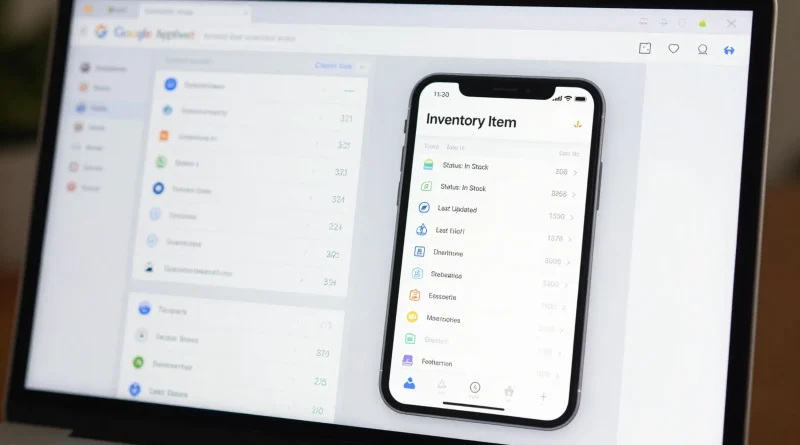
Build a Simple Mobile App Without Coding Using Google AppSheet AI
Introduction
Not long ago, building a mobile app required learning programming languages, hiring developers, and spending months on development. For small business owners, students, and creators, this process felt out of reach.
Today, things are different. With no code platforms powered by artificial intelligence, anyone can create functional mobile apps without writing a single line of code. Tools like Google AppSheet are making this possible.
Imagine turning a simple spreadsheet into a fully working mobile app. From tracking inventory to managing customer data, AppSheet allows you to build solutions quickly and efficiently.
What Is Google AppSheet AI
Google AppSheet is a no-code development platform by Google. It allows users to create mobile and web applications using data from sources like Google Sheets, Excel, and databases.
The platform uses AI to automate app creation. It suggests layouts, features, and workflows based on your data structure. This reduces the complexity of traditional app development.
With AppSheet, you do not need coding skills. Instead, you focus on what your app should do, and the platform handles the technical side.
Key Features of Google AppSheet
AppSheet offers powerful features that make app creation simple and efficient.
First, it supports data-driven app building. You can connect your app directly to spreadsheets or cloud data sources.
Second, it includes automation tools. These allow you to create workflows such as sending notifications or updating records automatically.
Another important feature is cross-platform compatibility. Apps created with AppSheet work on both Android and iOS devices.
It also provides customization options. You can design user interfaces, set permissions, and control how users interact with the app.
Read More: Create Stunning Instagram Marketing Images Using Adobe Firefly AI
Step-by-Step Guide to Building an App
Building a mobile app with Google AppSheet is straightforward.
Start by preparing your data. Create a spreadsheet with columns that represent the information your app will use. For example, a task management app may include columns like task name, deadline, and status.
Next, upload the data to AppSheet. The platform will automatically generate a basic app structure.
Then customize the app. Adjust layouts, add forms, and define actions such as adding or editing entries.
After that, test your app. Use the preview feature to ensure everything works correctly.
Finally, deploy the app. Share it with users or publish it for wider access.
Table: AppSheet vs Traditional App Development
| Method | Key Difference |
|---|---|
| AppSheet AI | No coding required, fast development |
| Traditional Development | Requires programming skills and longer timelines |
| AppSheet AI | Lower cost and easier maintenance |
| Traditional Development | Higher cost and complex updates |
Real World Use Cases
Many individuals and businesses are already using Google AppSheet to solve everyday problems.
Small businesses use it to manage inventory, track sales, and monitor employee activities.
Schools use it for attendance tracking, assignment management, and communication.
Event organizers create apps for scheduling, guest management, and notifications.
Even individuals use AppSheet for personal productivity, such as tracking habits or managing finances.
Read More: Turn Written Blog Content Into Engaging Podcast Episodes With ElevenLabs AI
Benefits of No-Code App Development
No code platforms like AppSheet provide several advantages.
They reduce development time significantly. What once took months can now be done in hours or days.
They also lower costs. There is no need to hire developers or invest heavily in infrastructure.
Another benefit is flexibility. Users can update and improve their apps anytime without technical barriers.
This empowers more people to innovate and create solutions tailored to their needs.
Future of No-Code and AI App Building
The rise of no-code platforms signals a major shift in software development. AI is making app creation more accessible than ever.
Google continues to enhance AppSheet with smarter automation and improved user experience. Future updates may include deeper AI integration, predictive features, and more advanced customization.
As more businesses adopt no-code tools, the demand for traditional coding may shift toward more complex and specialized projects.
For everyday users, this means more opportunities to build apps without technical limitations.
Read More: How to Create a Full YouTube Script in Minutes Using ChatGPT by OpenAI
Frequently Asked Questions
Can beginners use Google AppSheet
Yes, AppSheet is designed for beginners. Its interface is user-friendly, and the AI guides users through the app creation process.
Is Google AppSheet free?
AppSheet offers free and paid plans. The free version is suitable for basic apps, while advanced features require a subscription.
Can I publish my app on app stores?
AppSheet apps are usually shared via links or internal deployment. Publishing on traditional app stores may require additional steps.
What types of apps can I build?
You can build productivity apps, business tools, tracking systems, and more. The possibilities depend on your data and creativity.
Conclusion
Building a mobile app no longer requires coding expertise. With tools like Google AppSheet, anyone can create functional and useful applications quickly.
This shift is empowering individuals, businesses, and organizations to innovate without barriers. As AI continues to evolve, no-code platforms will become even more powerful and accessible.
If you have an idea, now is the perfect time to turn it into an app and bring your vision to life.


Pingback: How to Create a Professional Startup Logo Using Midjourney AI - Latest AI/Tech Info