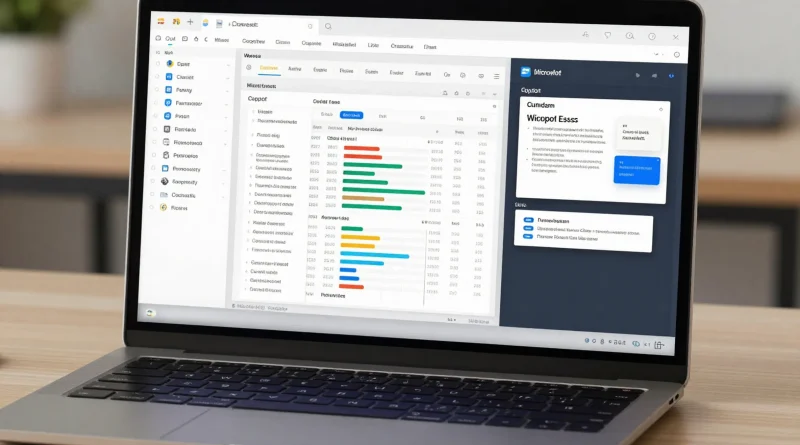
Microsoft Broadens Copilot Integration Across Windows and Office Ecosystem
Introduction
A few years ago, productivity software meant manually writing documents, creating spreadsheets, and designing presentations from scratch. These tasks often took hours and required deep focus.
Today, artificial intelligence is changing how people work. Tools can now assist with writing, analyzing data, and even generating ideas in seconds. With the expansion of Microsoft Copilot across Windows and Microsoft Office, Microsoft is taking a major step toward making AI a core part of everyday productivity.
This move signals a future where AI is not just an add-on but an essential tool for work and creativity.
What Is Microsoft Copilot
Microsoft Copilot is an AI-powered assistant developed by Microsoft. It is designed to help users complete tasks more efficiently by providing suggestions, generating content, and automating workflows.
Originally introduced within select Microsoft tools, Copilot is now expanding across a wider ecosystem. This includes integration into operating systems and core productivity applications.
The goal is to create a seamless experience where AI assistance is available whenever users need it.
Key Features of Copilot Integration
The expansion of Microsoft Copilot brings several powerful features.
First, it offers real-time assistance. Users can get help while working on documents, spreadsheets, or presentations.
Second, it supports content generation. Copilot can write text, summarize information, and generate ideas quickly.
Another key feature is data analysis. In spreadsheet tools, it can interpret data and provide insights.
It also enhances workflow automation. Repetitive tasks can be handled automatically, saving time and effort.
Additionally, integration across platforms ensures consistency. Users experience the same AI support across devices and applications.
Read More: Google Enhances Gemini AI With New Flash Thinking Model for Faster Intelligence
Table: Copilot Features Across Platforms
| Platform | Function |
|---|---|
| Windows | System wide AI assistance and task management |
| Microsoft Office | Content creation and productivity tools |
| Word | Writing and editing support |
| Excel | Data analysis and insights |
| PowerPoint | Presentation design and content generation |
Read More: Meta Develops “Mango” AI Model for Next-Level Image and Video Generation
Impact on Productivity
The expansion of Microsoft Copilot is set to transform how people work.
Tasks that once took hours can now be completed in minutes. Writing reports, analyzing data, and preparing presentations become faster and more efficient.
This also reduces cognitive load. Users can focus on decision-making and creativity while AI handles routine tasks.
For businesses, this means improved efficiency and better use of resources. Teams can achieve more with less effort.
Real World Applications
Students can use Copilot to draft essays, summarize notes, and prepare presentations.
Professionals can generate reports, analyze business data, and manage workflows more effectively.
Content creators can brainstorm ideas and produce high-quality content quickly.
Organizations can integrate AI into daily operations, improving productivity across departments.
These use cases show how AI is becoming an essential part of modern work environments.
Future Outlook
Microsoft is expected to continue expanding Copilot’s capabilities. Future updates may include deeper integration, improved personalization, and smarter automation.
As AI evolves, tools like Microsoft Copilot will become more intuitive and proactive. They may anticipate user needs and provide suggestions before tasks are even initiated.
Competition with other AI platforms will drive innovation, leading to more powerful and accessible tools for users worldwide.
Read More: xAI Introduces Grok-5 AI Model to Challenge OpenAI and Google in the AI Race
Frequently Asked Questions
What is Microsoft Copilot used for?
Microsoft Copilot helps users write content, analyze data, automate tasks, and improve productivity across applications.
Is Copilot available in all Microsoft apps?
It is being gradually integrated into major tools within Microsoft Office and Windows. Availability may vary depending on updates and regions.
Can Copilot replace human work?
Copilot is designed to assist, not replace. It enhances productivity while users remain in control of decisions and creativity.
Who can benefit from Copilot?
Students, professionals, businesses, and content creators can all benefit from AI-powered assistance.
Conclusion
The expansion of Microsoft Copilot across Windows and Microsoft Office marks a major shift in how people interact with technology.
By embedding AI into everyday tools, Microsoft is redefining productivity for the modern era.
As AI continues to evolve, tools like Copilot will play a central role in shaping the future of work, making tasks faster, smarter, and more efficient.