How to Create a Full YouTube Script in Minutes Using ChatGPT by OpenAI
Introduction
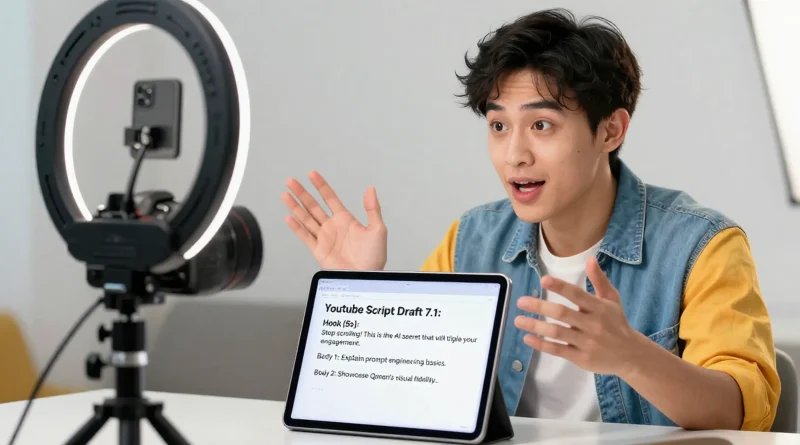
Creating engaging YouTube videos requires more than just a camera and editing software. Every successful video starts with a well-structured script. However, writing scripts can take hours, especially when creators struggle with ideas, structure, or storytelling.
This is where artificial intelligence tools are transforming content creation. With modern AI writing assistants, creators can generate structured video scripts in minutes instead of spending hours brainstorming.
One of the most powerful tools for this task is ChatGPT, developed by OpenAI. The platform allows creators to turn simple prompts into full video scripts with introductions, explanations, and calls to action.
Today, many YouTubers use AI tools to speed up production, maintain consistent content schedules, and improve storytelling quality. This guide explains how you can generate a full YouTube script in minutes using ChatGPT.
Why AI Is Changing YouTube Script Writing
Traditional script writing requires research, outlining, and multiple drafts. AI tools automate much of this process by generating structured content instantly.
Several advantages make AI script generation popular among content creators.
| Benefit | Explanation |
|---|---|
| Faster content production | Generate scripts in minutes instead of hours |
| Idea generation | AI suggests creative angles for topics |
| Structured storytelling | Scripts include hooks, explanations, and conclusions |
| Consistency | Helps creators maintain a regular upload schedule |
Because of these benefits, AI writing tools are becoming essential for YouTubers and digital marketers.
Read More: How to Build a Professional Sales Presentation Using Microsoft Copilot in Microsoft PowerPoint
How ChatGPT Generates YouTube Scripts
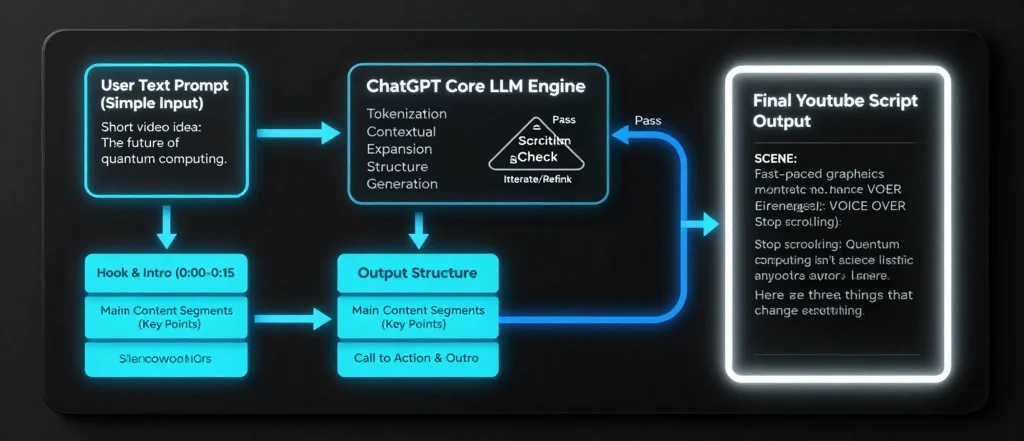
ChatGPT works by processing prompts written by users. When you describe your video topic, the AI generates a structured script based on the information provided.
A typical YouTube script created with ChatGPT includes several sections.
| Script Section | Purpose |
|---|---|
| Hook | Grabs viewer attention in the first seconds |
| Introduction | Explains what the video will cover |
| Main content | Delivers the core message or tutorial |
| Engagement prompts | Encourages likes, comments, and subscriptions |
| Conclusion | Summarizes key points |
This structure helps creators produce professional videos that keep viewers engaged.
Step-by-Step Guide to Creating a YouTube Script with ChatGPT
Creating a script with ChatGPT takes only a few simple steps.
Step 1: Choose a Clear Video Topic
Start by deciding the exact topic of your video. The clearer your topic, the better the AI output will be.
Examples include:
- “Top 5 AI tools for students”
- “How to start a YouTube channel.”
- “Beginner’s Guide to Smartphone Photography”
Step 2: Write a Detailed Prompt
Next, enter a detailed prompt into ChatGPT describing the type of script you want.
Example prompt:
Write a 5-minute YouTube script about beginner video editing tips. Include a hook, introduction, three tips, and a conclusion.
The AI will immediately generate a structured script.
Step 3: Edit and Personalize the Script
Although AI produces high-quality drafts, creators should always personalize the content. Add personal experiences, examples, or humor to make the script unique.
| Editing Tip | Why It Matters |
|---|---|
| Add personal stories | Makes the video authentic |
| Adjust tone | Match your channel style |
| Shorten long sections | Improve viewer retention |
| Add visual cues | Guide editing and visuals |
Editing ensures that the script reflects your brand and voice.
Step 4: Add Engagement Elements
YouTube videos perform better when they include viewer interaction prompts. ChatGPT can generate these automatically if requested.
Examples include:
- Asking viewers questions
- Encouraging comments
- Suggesting likes and subscriptions
These elements help boost engagement and improve video performance in the algorithm.
Read More: How to Summarize Research Papers and PDFs Using Notion AI
Example AI-Generated Script Outline
Below is a simplified example of what ChatGPT can produce.
| Script Part | Example Content |
|---|---|
| Hook | “Did you know you can write a full YouTube script in under five minutes?” |
| Intro | Brief explanation of the topic |
| Tip 1 | Choosing the right topic |
| Tip 2 | Structuring engaging content |
| Tip 3 | Editing and adding personality |
| Conclusion | Summary and call to action |
This structured format saves creators time while maintaining high-quality storytelling.
Other AI Tools That Support YouTube Content Creation
While ChatGPT is powerful, creators often combine multiple tools to streamline their workflow.
| Tool | Function |
|---|---|
| ChatGPT | Script writing and idea generation |
| Canva | Thumbnail design and graphics |
| Descript | Video editing and transcription |
| ElevenLabs | AI voiceover generation |
Using these tools together helps creators produce high-quality videos faster.
Tips for Getting Better Results from ChatGPT
The quality of AI-generated scripts depends on the prompts you provide. More detailed prompts produce more accurate results.
Here are some useful strategies.
| Strategy | Result |
|---|---|
| Specify video length | Generates appropriate script size |
| Request structured sections | Produces organized content |
| Include target audience | Improves tone and style |
| Ask for storytelling | Makes scripts more engaging |
By refining prompts, creators can consistently generate strong video scripts.
Read More: How to Generate Website Copy and Landing Pages Using Copy.ai
Frequently Asked Questions
Can ChatGPT write complete YouTube scripts?
Yes. ChatGPT can generate complete scripts, including hooks, introductions, main sections, and conclusions, based on user prompts.
Do YouTubers actually use AI for scripting?
Many creators use AI tools to generate outlines or drafts, which they later edit and personalize.
Is AI-generated content allowed on YouTube?
Yes. YouTube allows AI-generated content as long as it follows community guidelines and provides value to viewers.
How long should a YouTube script be?
A five-minute video usually requires a script of about 600 to 750 words, depending on speaking speed.
Conclusion
Artificial intelligence is transforming how creators produce content online. Tools like ChatGPT allow YouTubers to generate structured scripts quickly while maintaining creative control.
Instead of spending hours drafting scripts from scratch, creators can now focus on refining ideas, improving storytelling, and producing engaging videos.
As AI tools continue to evolve, they will play an even bigger role in helping creators grow their channels and maintain consistent publishing schedules.