
How to Build a Restaurant Website From a Single Prompt Using Bolt.new
Introduction
Building a professional restaurant website once required several skills. You needed to understand web design, write code, arrange website pages, and configure contact forms.
For many restaurant owners, hiring a developer was the easiest option. However, the cost and time involved could make a website difficult to launch.
AI website builders are changing this process. Today, you can describe the website you want and let an AI tool generate its structure, design, and functionality.
One tool making this possible is Bolt.new. It allows users to create websites and web applications through ordinary text instructions. You can describe your restaurant, its menu, preferred design, and contact details. Bolt then generates a website you can preview and improve.
In this tutorial, we will use Bolt.new to build a restaurant website with a homepage, menu section, restaurant information, and a functional contact form. You will also learn how to refine the design, test the form, and publish the finished website.
What Is Bolt.new?
Bolt.new is an AI-powered website and application builder. It turns written instructions into working digital products directly inside a web browser.
Instead of manually creating every page and writing all the code, you describe what you want to build. Bolt generates the project and provides a live preview.
The platform supports website creation, web applications, database integrations, authentication, and other development features. It also provides a browser-based code editor for users who want more control over their projects. Bolt+1
For restaurant businesses, Bolt can generate a website containing food menus, image galleries, opening hours, location details, and customer enquiry forms.
It is particularly useful for people who want to create a website prototype quickly or develop a business website without starting from an empty coding project.
Why Use Bolt.new to Build a Restaurant Website?
A restaurant website should do more than display attractive food photographs. It should help customers discover the restaurant, understand its menu, find its location, and contact the business.
Bolt.new can generate these elements from a detailed prompt.
Its responsive design approach helps websites adapt to desktop, tablet, and mobile screens. This matters because many customers browse restaurant websites using smartphones.
You can also request changes through follow-up prompts. If the first design does not match your expectations, you can ask Bolt to change the colours, rearrange sections, or improve the navigation.
Another advantage is that Bolt supports backend functionality. This means you can request features that handle information rather than simply displaying static content. For example, a contact form can be connected to a backend service to process customer enquiries. bolt.new+1
Read More: How to Create Professional Business Process Flowcharts from Text Using Napkin AI
How to Build a Restaurant Website Using Bolt.new
Step 1: Visit Bolt.new and Create an Account
Best AI Website Builders in 2026: Guide from a Web Designer – Repaint
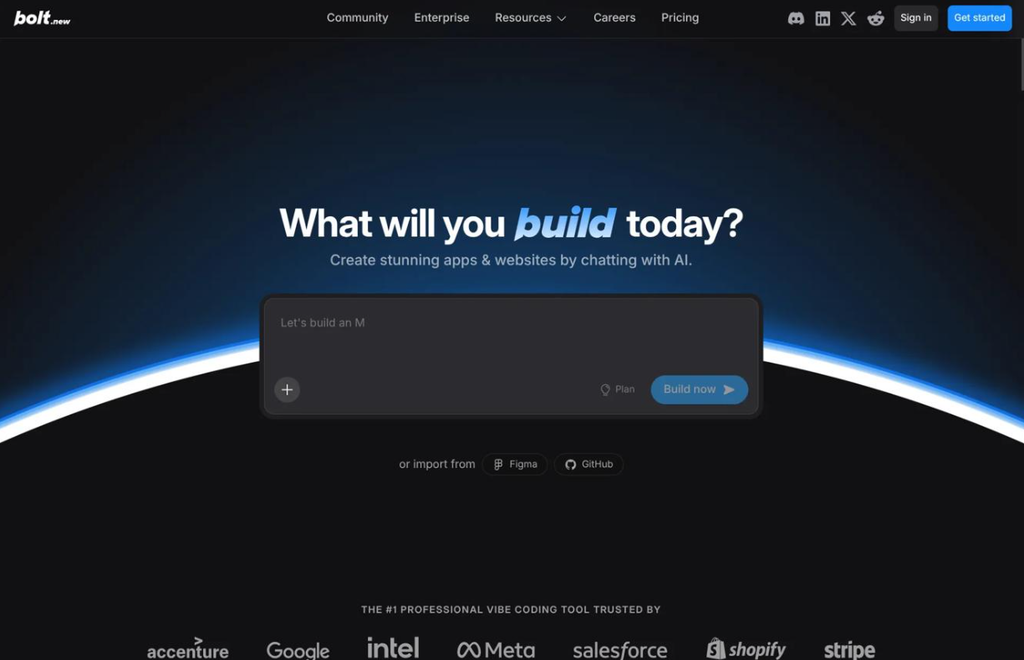
Open the official Bolt.new website in your browser.
Create an account or sign in if you already have one. Follow the onboarding instructions until you reach the project-building workspace.
Bolt runs in the browser, so you do not need to install a separate development environment before starting. Its QuickStart guide also walks beginners through creating and previewing their first project. Bolt+1
Step 2: Describe the Restaurant Website You Want
The first prompt is important because it tells Bolt what to build.
Before writing it, decide what the website should contain. For this example, imagine a restaurant called Savannah Kitchen. It serves local and continental dishes and wants a modern website that attracts customers.
The website should have a homepage, menu, restaurant story, food gallery, opening hours, location, and contact form.
You can describe all these requirements in one detailed prompt.
Step 3: Generate the Website With a Single Prompt
AI Website Design Generator for Fast Site Concepts | BudgetPixel AI
Read More: How to Build a No-Code Customer Registration and Management Web Application Using Lovable AI
Copy the following prompt into Bolt.new.
Build a complete, modern, responsive restaurant website for a restaurant called “Savannah Kitchen”.
The restaurant serves delicious local and continental meals in a welcoming dining environment.
DESIGN REQUIREMENTS:
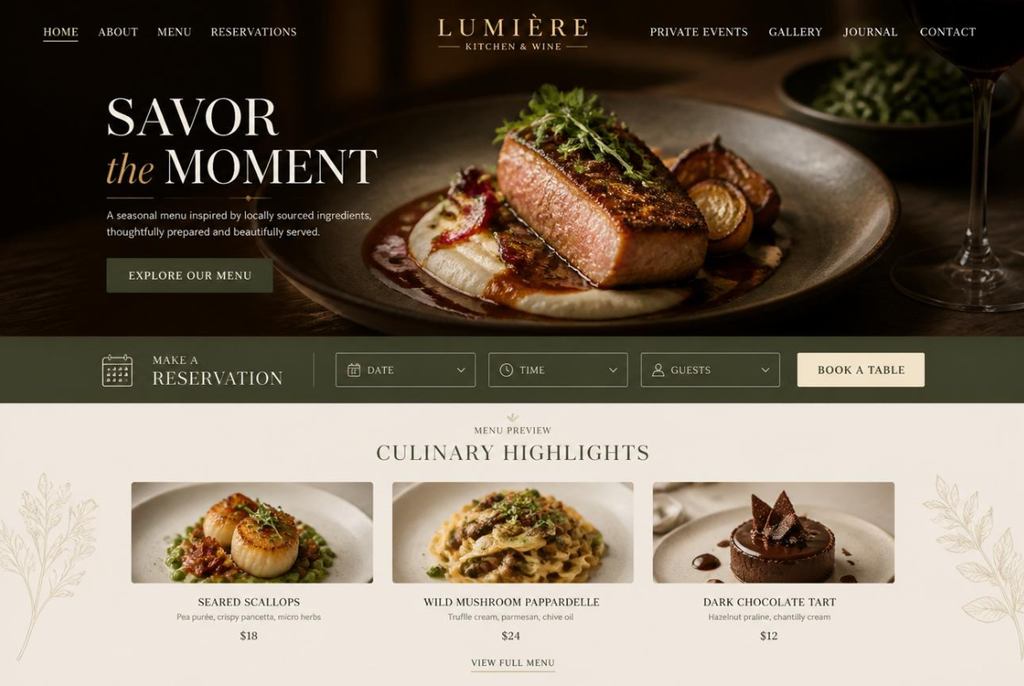
Create an elegant, premium restaurant website with a warm colour palette featuring deep green, cream, and subtle gold accents. Use attractive food photography, modern typography, smooth animations, and a clean layout.
WEBSITE SECTIONS:
- Homepage: Create a beautiful hero section with a large food photograph, an attractive headline, a short restaurant description, and prominent buttons labelled “Explore Our Menu” and “Contact Us”.
- About Us: Introduce Savannah Kitchen, its cooking philosophy, dining experience, and commitment to quality food.
- Menu: Display food categories such as Nigerian Dishes, Continental Meals, Rice Dishes, Grills, and Drinks. Each item should have a food image, name, short description, and sample price.
- Gallery: Create an attractive image gallery featuring meals, restaurant interiors, and dining experiences.
- Opening Hours: Display the restaurant’s weekly operating hours clearly.
- Location: Add a restaurant address section and a map placeholder that can later be connected to Google Maps.
- Contact Form: Build a functional contact form with fields for full name, email address, phone number, subject, and message. Include required-field validation, appropriate email validation, a submission button, loading feedback, success messages, and error messages.
CONTACT FORM FUNCTIONALITY:
Connect the form to a suitable backend so submitted enquiries can be received and stored securely. Do not create a fake submission process. If backend configuration or email credentials are required, clearly identify what needs to be configured. Protect against spam and validate submissions on the server.
ADDITIONAL REQUIREMENTS:
Create a responsive navigation menu with links to all major sections. Add a professional footer containing contact information, social media links, and copyright information.
Make the website mobile-friendly, fast-loading, accessible, and easy to navigate. Use reusable components and maintain consistent styling throughout the project.
Use realistic sample restaurant content, but make all business details easy to edit later.
Build the complete website and ensure that the contact form works correctly. Test all major buttons, navigation links, and form validation before considering the project complete.
After pasting the prompt, submit it and allow Bolt to generate the website. The platform will create the project and display a preview as it works.
The generated result may differ from the exact design you imagined. This is normal. You can improve it with additional instructions.
Step 4: Review the Generated Restaurant Website
10 Best Restaurant Websites and What Owners Can Learn | RocketPages
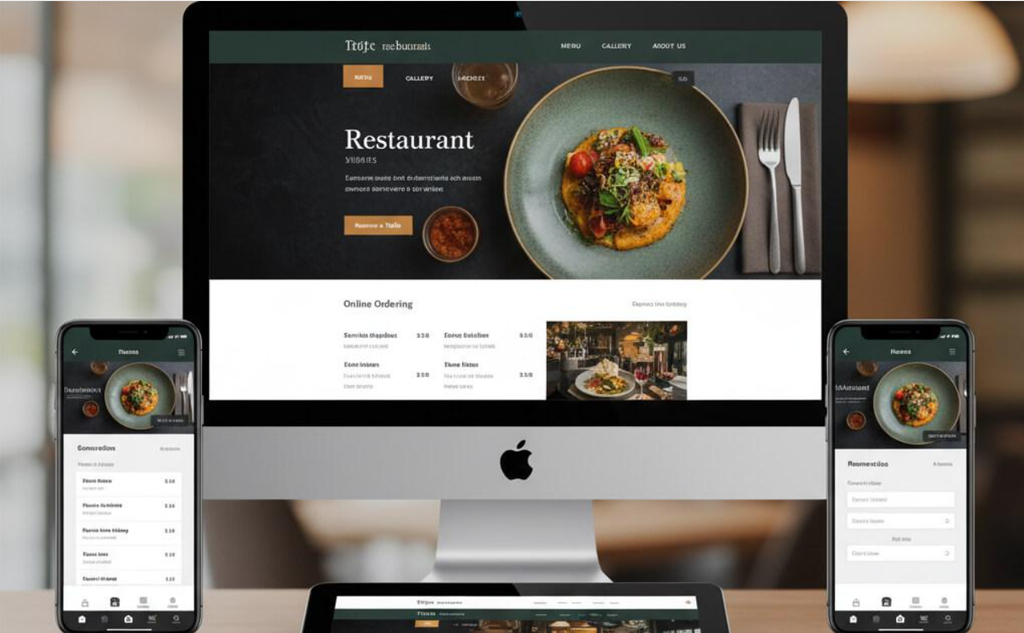
When generation finishes, inspect the website using the preview window.
Check whether the homepage contains the restaurant name, introduction, food photography, and navigation links. Scroll through the menu, gallery, opening hours, and contact sections.
Pay attention to the visual presentation. Restaurant websites depend heavily on photography, so ensure the images match the dishes and atmosphere being advertised.
Also check whether the website communicates essential information clearly. Customers should not struggle to find the restaurant’s location, opening hours, or contact details.
Step 5: Improve the Design With Follow-Up Prompts
You do not have to rebuild the website if the first result needs improvement.
Bolt allows you to request changes through its AI chat interface or edit the generated code directly. bolt.new+1
For example, you can enter:
Improve the restaurant website’s homepage. Make the hero section more visually attractive, use a high-quality restaurant food photograph, increase the headline prominence, and improve the spacing between sections. Maintain the existing green, cream, and gold colour scheme. Ensure the design remains responsive on mobile devices.
You can also request changes to the menu section, typography, navigation, footer, and gallery.
Make changes gradually. This makes it easier to identify whether each improvement works as expected.
Step 6: Make Sure the Contact Form Actually Works
How to generate leads: 5 free form templates
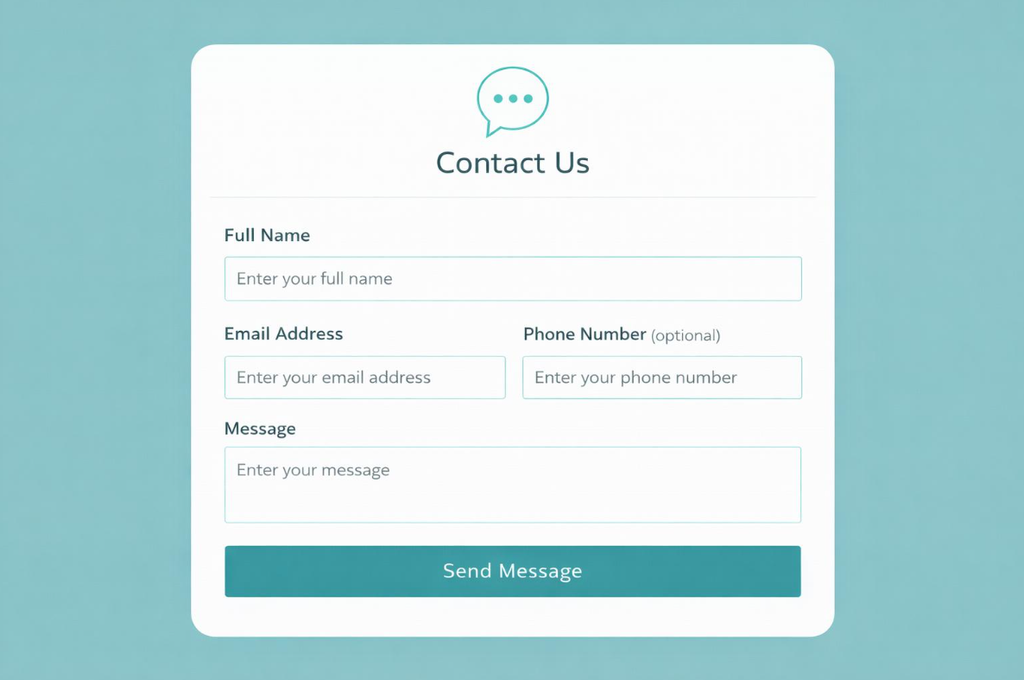
The contact form is one of the most important features in this tutorial.
A form that only displays a success message without sending or storing the customer’s information is not genuinely functional.
First, confirm that the form contains the required fields. Then check that it rejects incomplete submissions and invalid email addresses.
Next, configure the backend. Bolt can generate backend functionality, databases, and APIs, but the project may still require configuration before it can receive real enquiries. bolt.new+1
If you want submissions stored in a database, ask Bolt to connect the form to an appropriate database. If you want enquiries delivered to an email inbox, configure a suitable email service and its credentials securely.
Use this follow-up prompt:
Review the restaurant website contact form and make it fully functional.
Ensure submitted enquiries are validated and securely stored in the connected database. Include fields for name, email, phone number, subject, and message.
Add clear success and error feedback. Prevent duplicate submissions while a request is processing. Ensure the backend validates the submitted information rather than relying only on browser validation.
Do not display a successful submission message unless the backend confirms that the enquiry was successfully received.
Explain any database, email service, or environment variable configuration still required.
After Bolt makes the changes, submit a test enquiry. Check the connected database or email inbox to confirm that the information arrives. Do not publish the form until you have verified its behaviour.
Step 7: Test the Website on Different Devices
A restaurant website should work properly on smartphones, tablets, and desktop computers.
Preview the website at different screen widths. Check the navigation menu, food gallery, menu layout, and contact form.
Test every important button and link. Confirm that the contact form displays appropriate feedback and that the restaurant’s contact details are correct.
Bolt’s website builder is designed to generate responsive layouts, but you should still inspect the finished result before publishing. bolt.new+1
Step 8: Publish the Restaurant Website
What is Vibe Coding? Plus Best Tools and Examples | Fiverr
Read More: How to Build Interactive Training Courses Faster Using Articulate AI Assistant
Once everything works, you can publish the project using Bolt’s deployment options.
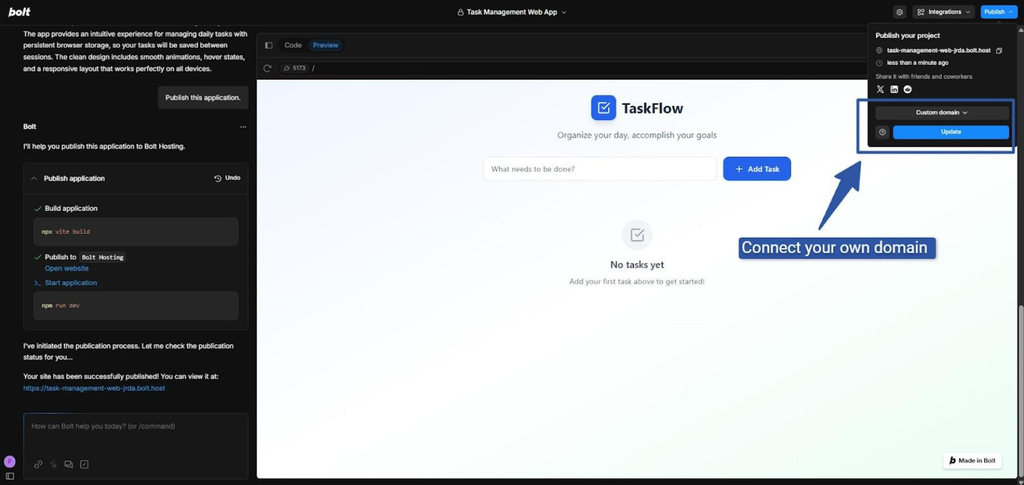
Bolt provides hosting and publishing features through Bolt Cloud. You can publish to a Bolt-hosted address and connect a custom domain where your plan supports it. bolt.new+1
For example, a restaurant could use a domain such as savannahkitchen.com if it is available and properly configured.
Before launching, confirm that the website has the correct restaurant information, working contact form, appropriate images, and secure configuration.
Important Features of the Finished Restaurant Website
A good restaurant website should combine attractive presentation with useful functionality. The following table summarises the features included in this project.
| Website feature | Purpose |
|---|---|
| Homepage | Introduces the restaurant and attracts visitors |
| About section | Explains the restaurant’s identity and story |
| Food menu | Displays available meals and prices |
| Food gallery | Showcases dishes and dining experiences |
| Opening hours | Helps customers plan their visits |
| Location section | Shows where customers can find the restaurant |
| Contact form | Allows visitors to send enquiries |
| Responsive navigation | Makes the website easier to use on different devices |
| Footer | Provides additional contact and business information |
These features provide a solid starting point. You can later expand the website with online reservations, food ordering, payment integration, customer reviews, and an administration dashboard.
Bolt.new vs Traditional Website Development
How does building a website with Bolt.new compare with traditional development?
| Feature | Bolt.new | Traditional development |
|---|---|---|
| Initial setup | Start with a text prompt | Usually requires project setup |
| Coding | AI generates the code | Developer writes or configures code |
| Design | AI-generated and customisable | Designed manually or with templates |
| Development speed | Rapid initial generation | Depends on project complexity |
| Customisation | AI prompts and code editing | Direct code and design control |
| Backend | Can generate backend functionality | Developer configures backend |
| Deployment | Built-in publishing options | Depends on hosting and deployment setup |
Bolt.new can significantly reduce the time required to create an initial website. However, complex projects still require careful planning, testing, and configuration.
Traditional development may offer more direct control over specialised requirements. The best choice depends on the website’s purpose and complexity.
Frequently Asked Questions
1. Can Bolt.new build a complete restaurant website from one prompt?
Yes. Bolt.new can generate a restaurant website from a detailed written description. You can request sections such as a homepage, menu, gallery, opening hours, location, and contact form. You can then refine the generated website using additional prompts.
2. Do I need coding experience to use Bolt.new?
No. You can describe your requirements in ordinary language and let Bolt generate the website code. However, understanding basic web development concepts can help when troubleshooting or making advanced changes.
3. Can Bolt.new create a functional contact form?
Yes. Bolt can generate contact forms and connect them to backend services. However, you must configure the required database or email service and test actual submissions. A form that only displays a success message without delivering the enquiry is not fully functional.
4. Can I publish a website created with Bolt.new?
Yes. Bolt provides publishing and hosting options. You can publish your project and connect a custom domain where supported by your plan. Check the official Bolt.new website for current pricing and deployment options.
Conclusion
Building a restaurant website does not have to begin with complicated coding or an expensive development process.
Bolt.new makes website creation more accessible by allowing users to describe their ideas and generate working projects through AI.
With a detailed prompt, you can create a restaurant website containing a homepage, food menu, image gallery, business information, and contact form.
The most important part is reviewing the generated website and testing its functionality. Pay particular attention to the contact form because customers should be able to submit enquiries successfully.
For restaurant owners, designers, and beginners exploring website development, Bolt.new offers a practical way to turn a simple idea into a working website.